
Best Productivity Planners for Busy Professionals: How to Choose the Right Format
Compare productivity planner formats for busy professionals, including daily, weekly, goal, habit, time-blocking, project and undated planners, with practical buying advice.
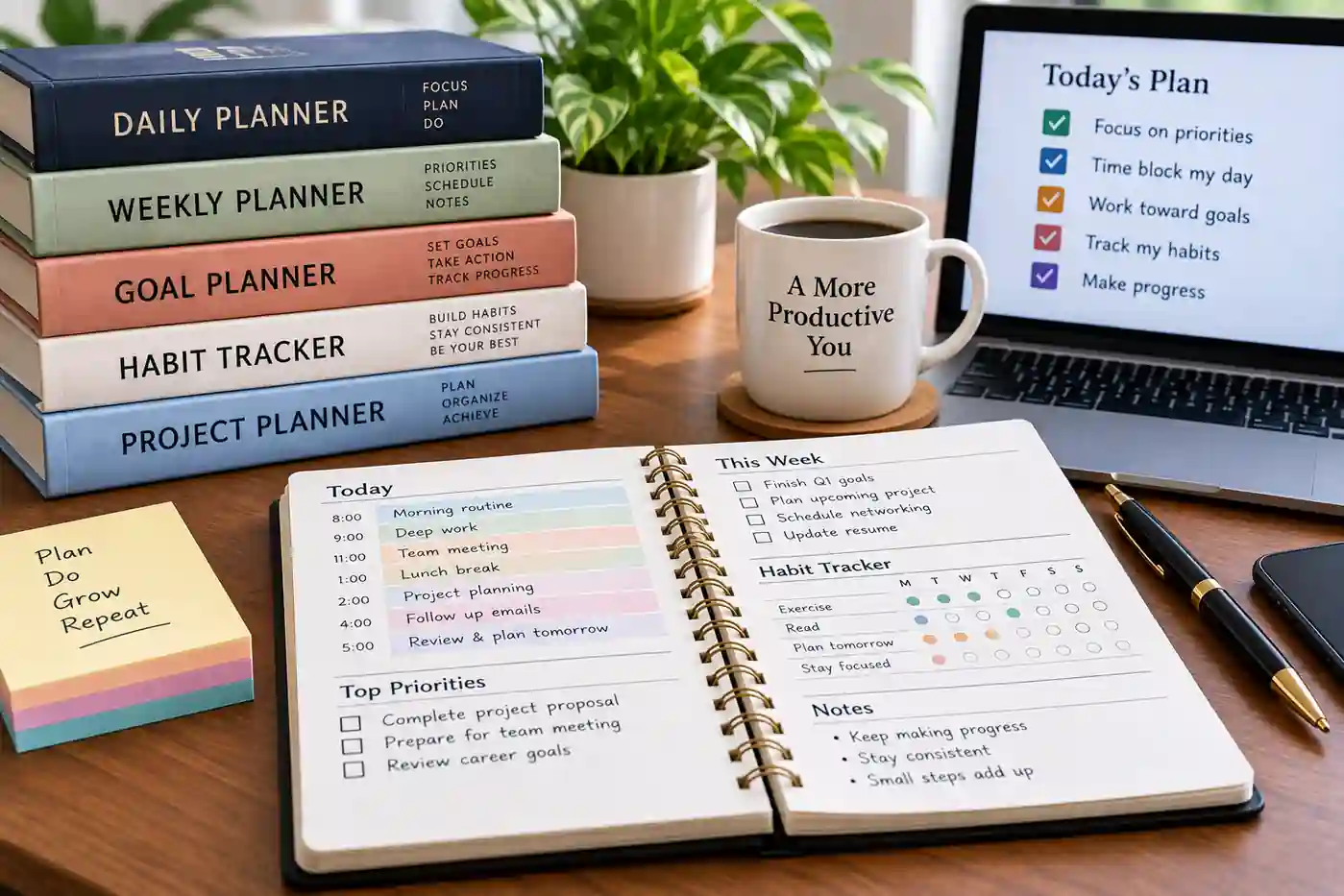
A productivity planner can be as simple as a weekly calendar or as structured as a system that connects annual goals to quarterly projects, weekly priorities, daily tasks, and habits.
The challenge is not finding a planner with lots of features. It is finding one whose layout matches the way you actually work.
A busy professional who manages meetings all day may need time-blocking space. Someone working toward a promotion may need goal and accomplishment tracking. A freelancer may benefit more from project planning, while someone who struggles with consistency may want habit tracking.
This guide compares the major planner formats and several physical planners available through Amazon, so you can choose based on your workflow rather than a generic "best planner" ranking.
For the bigger picture, CoreAdorn's Personal Finance & Career guide covers practical resources for organizing professional and financial goals.
Quick Answer: Which Productivity Planner Format Should You Choose?
- Daily planner: Best when each day has many tasks, appointments, or detailed priorities.
- Weekly planner: A good fit when you need to see commitments and priorities together without managing a page every day.
- Monthly planner: Useful for deadlines, travel, launches, bills, appointments, and major milestones.
- Goal planner: Designed to connect larger objectives with smaller actions and reviews.
- Habit tracker: Useful when consistency around recurring behaviors matters more than scheduling appointments.
- Time-blocking planner: Best for professionals who need to deliberately reserve portions of the day for focused work.
- Project planner: Useful when work involves multiple milestones, deliverables, and deadlines.
- Undated planner: A practical choice if you don't want unused pages when your routine changes.
- Digital planner: Better suited to people who want search, syncing, editing, and integration with other digital tools.
- Physical planner: Often preferable if you like handwriting, want fewer digital distractions, or prefer keeping planning separate from your computer.
There is no requirement to use every feature. A planner that you use consistently with five useful sections can be more practical than one packed with twenty sections you never open.
When you buy through links on our site, we may earn an affiliate commission at no extra cost to you. This helps support our work.
Who This Article Is For
This guide is for U.S. professionals who want a physical or digital productivity planner for:
- Managing a demanding work schedule
- Organizing meetings and appointments
- Tracking career goals
- Planning projects
- Time-blocking focused work
- Building habits
- Managing personal and professional commitments
- Preparing for promotions or career changes
- Running a small business or side hustle
- Working from home
- Coordinating family and professional schedules
If your planning needs are specifically career-focused, see our guide to career planners for professionals .
What Makes a Productivity Planner Useful?
A planner is essentially a system for deciding what deserves your attention and when.
A basic calendar tells you when something happens. A productivity planner may go further by helping you decide:
- What matters this week
- What needs to happen today
- Which goals you're working toward
- What projects are in progress
- Which habits you're trying to maintain
- Where your time is going
- What needs to move to another day
- What you accomplished
The best layout depends on your workload.
Types of Productivity Planners
Daily Planners
A daily planner gives you more space for one specific day.
Typical sections may include:
- Schedule
- Appointments
- To-do list
- Priorities
- Notes
- Meals
- Habits
- Reflections
Best for
Daily planners are useful for professionals with complicated schedules or many tasks that change from day to day.
Potential drawback
A daily format consumes pages quickly. If you have relatively simple days, you may end up carrying a larger planner than you need.
Weekly Planners
A weekly planner gives you a broader view.
You can usually see:
- Meetings
- Deadlines
- Appointments
- Tasks
- Weekly priorities
- Notes
This format works well when you want to plan the week before getting into individual days.
Best for
Professionals who need a balance between structure and flexibility.
Potential drawback
A crowded week can make a weekly spread difficult to read, particularly if the planner gives only a small amount of writing space.
Monthly Planners
Monthly layouts are excellent for seeing the bigger picture.
They work well for:
- Project deadlines
- Travel
- Conferences
- Performance reviews
- Birthdays
- Bills
- Launch dates
- Vacation
- Major milestones
Best for
Professionals who need a high-level overview.
Potential drawback
Monthly boxes rarely provide enough room for detailed task management.
A monthly planner is often most useful alongside a weekly or daily system.
Goal Planners
Goal planners are designed around outcomes rather than just appointments.
They may include:
- Long-term goals
- Quarterly goals
- Monthly goals
- Action steps
- Progress reviews
- Reflection pages
For example, goal-focused planning systems can connect annual objectives with shorter-term priorities and daily actions.
Best for
Professionals working toward promotion, career change, business growth, professional certifications, or major personal goals.
Potential drawback
A highly structured goal system can feel like extra work if you simply want a place to record meetings and appointments.
Habit Trackers
Habit trackers are designed around repetition.
You might track:
- Exercise
- Reading
- Sleep routines
- Learning
- Meditation
- Professional development
- Daily writing
- Personal finance routines
Best for
People who want visibility into recurring behaviors.
Potential drawback
A habit tracker does not replace a calendar or task-management system.
Time-Blocking Planners
Time blocking means assigning specific periods to particular activities.
Instead of writing "Work on presentation," you might reserve a specific period such as "9:00–10:30 — Presentation draft."
This can make a planner more useful for professionals whose calendars are easily consumed by meetings and interruptions.
Best for
- Remote professionals
- Managers
- Consultants
- Writers
- Developers
- Entrepreneurs
- Professionals doing focused project work
Potential drawback
Time blocking can become frustrating when your day changes constantly.
Project Planners
Project planners are useful when a single objective involves multiple steps.
A project page might track:
- Project name
- Objective
- Tasks
- Owner
- Milestones
- Deadline
- Status
- Notes
Best for
Professionals managing complex deliverables or multiple projects.
Potential drawback
A project planner may be unnecessary if your work consists mainly of appointments and simple daily tasks.
Undated Planners
An undated planner doesn't assign a specific calendar date to each page.
That means you can start whenever you want and skip periods without leaving a block of unused dated pages.
Best for
- Irregular schedules
- Professionals starting midyear
- Freelancers
- People who dislike wasting dated pages
- Anyone who wants flexibility
Potential drawback
You have to write in the dates yourself.
Digital vs. Physical Productivity Planners
Physical Planner
A physical planner can be useful if you:
- Prefer handwriting
- Want fewer screen distractions
- Like seeing notes and schedules together
- Work away from a computer
- Enjoy physically reviewing your week
Physical planners also make it easy to jot down information during a meeting without switching applications.
Limitations
Paper cannot automatically sync with your calendar, send reminders, or search thousands of notes.
Digital Planner
Digital planning can be useful if you:
- Work primarily from a computer
- Need calendar synchronization
- Want searchable notes
- Frequently reschedule meetings
- Use multiple devices
- Want reminders
Limitations
Digital planning can add another application to your workflow. If your work calendar already handles appointments, tasks, and reminders effectively, a separate digital planner may duplicate functionality.
Important Productivity Planner Buying Criteria
1. Layout
Look at the actual page layout before buying.
- Is there enough writing space?
- Are the hours visible?
- Is the page crowded?
- Are priorities separated from ordinary tasks?
- Is there room for notes?
2. Paper Quality
Paper quality matters more if you use gel pens, fountain pens, markers, or highlighters.
If you use a standard ballpoint pen, paper thickness may matter less.
3. Binding
Common options include spiral, wire, sewn, glue-bound, and hardcover.
Spiral binding can make a planner easier to lay flat. A traditional bound book may be easier to carry in some bags.
4. Size
A large planner provides more writing space but takes up more desk and bag space.
A compact planner is easier to carry but may force you to abbreviate your notes.
5. Portability
Think about where the planner will live. If it stays beside your monitor, size may not matter much. If it travels with you every day, weight and dimensions become much more important.
6. Time-Blocking
If your workday depends on focused periods, look for hourly schedules, half-hour increments, vertical timelines, appointment areas, and dedicated focus blocks.
7. Goal Tracking
Goal sections are useful when you have objectives extending beyond the current week.
8. Notes
Professionals often need more note space than they expect. Consider whether you need room for meeting notes, ideas, phone calls, follow-ups, project notes, and career accomplishments.
9. Habit Tracking
If habits are a meaningful part of your planning routine, look for dedicated tracking pages rather than trying to squeeze everything into a task list.
10. Durability
Consider hardcover construction, spiral or wire binding, elastic closures, bookmarks, pen loops, and pockets based on how you will actually use the planner.
Productivity Planners by Use Case
| Planner | Best For | Key Consideration |
|---|---|---|
| Full Focus Planner | Goal-driven professionals | Strong connection between goals, weekly planning, daily priorities and project tracking |
| Clever Fox Planner PRO | Flexible all-in-one planning | Undated structure with weekly/monthly planning, goals and habit tracking |
| Passion Planner Weekly | Visual goal planning | Combines longer-term goals with weekly and monthly planning |
| Moleskine Weekly Planner | Minimalist weekly planning | Better suited to people who don't need extensive guided prompts |
| Full Focus Pocket | Portable structured planning | Smaller format sacrifices some writing space for portability |
Recommended Productivity Planners by Use Case
For Goal-Driven Professionals: Full Focus Planner
Best for: Professionals who want their daily planning connected to larger goals.
Full Focus is built around a structured progression from annual goals to quarterly, weekly, and daily priorities. The system also includes project tracking, goal progress tracking, weekly reviews, and habit tracking.
Key features:
- Annual goal planning
- Quarterly planning
- Weekly planning
- Daily priorities
- Project tracking
- Goal progress tracking
- Habit tracking
- Review sections
Important limitation: This is a structured planning methodology, not simply a blank calendar. If you prefer creating your own system from scratch, the amount of guidance may feel restrictive.
Who should consider it: Professionals managing significant career, business, or personal goals who want those goals connected to weekly and daily actions.
Who may want an alternative: Someone who mainly needs a simple calendar or weekly appointment book.
For Flexible Goal and Habit Planning: Clever Fox Planner PRO
Best for: Professionals who want weekly and monthly planning with goal and habit-tracking features.
The Clever Fox Planner PRO is an undated planner with weekly and monthly planning pages, goal-setting tools, reviews, and other productivity sections.
Key features:
- Undated planning
- Weekly layouts
- Monthly layouts
- Goal setting
- Progress reviews
- Habit tracking
- Portable format on applicable editions
Important limitation: The number of sections can make the planner feel more structured than a simple weekly notebook.
Who should consider it: Professionals who want one physical planner covering several planning needs.
Who may want an alternative: Minimalists who want only a calendar and notes section.
For Visual Goal Planning: Passion Planner
Best for: Professionals who like connecting long-term goals with weekly and monthly planning.
Passion Planner offers physical and digital planning options. Exact layouts vary by edition, so check the current Amazon listing before purchasing to confirm the format, size, binding, and dated or undated status.
Key features:
- Goal planning
- Monthly planning
- Weekly planning
- Reflection
- Habit tracking on applicable editions
- Physical and digital options
Important limitation: The more goal-oriented pages you use, the more planning time the system can require.
Who should consider it: Professionals who enjoy visual goal mapping and want their weekly schedule connected to bigger objectives.
Who may want an alternative: Someone who wants a very simple appointment-focused planner.
For Minimalist Weekly Planning: Moleskine Weekly Planner
Best for: Professionals who want a familiar weekly format without extensive productivity prompts.
A traditional weekly planner can be a good choice when you already know how you organize your work and don't need a planner to teach you a planning methodology.
Key features:
- Weekly overview
- Calendar organization
- Note-taking space depending on edition
- Compact formats
- Professional appearance
Important limitation: A minimalist planner generally won't provide the same guided goal, project, or habit framework as a specialized productivity planner.
Who should consider it: Professionals who already have their own productivity system.
Who may want an alternative: Someone who wants built-in goal setting, habit tracking, or structured reviews.
For Portable Structured Planning: Full Focus Pocket
Best for: Professionals who want a structured planning system but need something smaller for travel.
The Full Focus Pocket is designed as a smaller version of the Full Focus planning system.
Key features:
- Compact format
- Goal planning
- Monthly calendar
- Weekly planning
- Daily pages
- Habit tracking
- Project planning
Important limitation: The smaller page size means less writing room.
Who should consider it: Professionals who travel frequently or prefer a planner that fits easily into a smaller bag.
Who may want an alternative: Someone who writes extensive meeting notes or needs a large daily schedule.
How to Choose the Right Productivity Planner
Choose a Daily Planner If:
Your days are different from one another and you need substantial space for tasks, schedules, and notes.
Choose a Weekly Planner If:
You want one view of your entire week and don't need a separate page for every day.
Choose a Monthly Planner If:
Your main concern is deadlines, appointments, launches, travel, or long-term scheduling.
Choose a Goal Planner If:
You're working toward substantial professional or personal objectives and want to connect them to smaller actions.
Choose a Habit Tracker If:
Your main challenge is maintaining recurring behaviors.
Choose a Time-Blocking Planner If:
Your work requires protected blocks of focused time.
Choose a Project Planner If:
Your work involves multiple milestones and deliverables.
Choose an Undated Planner If:
Your schedule is irregular or you don't want unused dated pages.
Choose Digital If:
You need syncing, search, reminders, and frequent rescheduling.
Choose Physical If:
You prefer handwriting, visual planning, and a break from screen-based tools.
Who Should Buy a Productivity Planner?
- Your current task list feels scattered
- You need a better weekly review routine
- You have several competing priorities
- You want to track professional goals
- You need dedicated project space
- You prefer writing by hand
- Your digital calendar doesn't handle your planning style well
- You want to keep career and personal goals visible
For professionals working from home, the planning system also needs to fit the physical workspace. Our home office products guide covers equipment and accessories that can complement a desk-based planning routine.
Who May Want to Skip a Dedicated Planner?
A separate planner may not add much value if:
- Your existing calendar already handles everything you need
- You rarely write down tasks
- You prefer managing everything from one digital application
- You dislike structured planning systems
- Your work schedule changes too frequently for detailed time blocking
- You already use an effective project-management system
Buying a more complicated planner does not automatically make your planning system better.
Common Productivity Planner Mistakes
Buying Based on Appearance
A beautiful cover doesn't tell you whether the page layout fits your workflow. Look at sample pages before purchasing.
Choosing Too Many Features
A planner with goals, habits, reflections, finances, meal planning, projects, and scheduling may sound useful. But if you only need a weekly schedule, those sections can create clutter.
Buying a Dated Planner Too Early
If you are not sure you'll use a planner consistently, an undated model can reduce wasted pages.
Ignoring Size
A planner that looks excellent online may be too large for your bag or too small for your handwriting.
Not Leaving Room for Notes
Professionals often underestimate how much unstructured writing space they need.
Trying to Plan Every Minute
Time blocking can be useful, but a schedule with no flexibility can become difficult to maintain. Leave room for unexpected work.
Using the Planner as a Storage Box
A planner should help you decide what to do, not become a dumping ground for every thought. Review and clean up your task lists regularly.
How to Make a Productivity Planner Actually Useful
A planner works best when you establish a simple routine around it.
At the Start of the Week
Review upcoming meetings, deadlines, projects, personal commitments, and major priorities. Then choose the few outcomes that matter most.
Each Morning
Check the schedule and identify the day's highest-priority work.
During the Day
Capture new tasks rather than relying on memory.
At the End of the Day
Move unfinished work deliberately instead of automatically copying everything forward.
At the End of the Week
Review what was completed, what was postponed, what created interruptions, and what needs attention next week.
Productivity Planning and Your Career
Productivity planning becomes more valuable when it supports a larger career objective.
For example, if your goal is a promotion, your planner could track:
- Projects completed
- New responsibilities
- Skills developed
- Training completed
- Positive feedback
- Measurable accomplishments
- Conversations with managers
- Future career goals
That information can later support a performance review or compensation conversation.
Our salary negotiation books and resources guide covers how to prepare for compensation discussions, while the broader Personal Finance & Career guide connects career planning with personal financial decisions.
Frequently Asked Questions
What type of planner is best for a busy professional?
It depends on how you spend your workday. A weekly planner works well for professionals who need a broad overview, while a daily or time-blocking planner can be more useful for highly scheduled days. If career goals and projects are a major priority, consider a planner with goal and project-tracking sections.
Is a daily or weekly planner better?
Neither format is universally better. Daily planners provide more writing space and detailed scheduling, while weekly planners make it easier to see commitments and priorities together. If your schedule changes frequently or contains many appointments, daily space may be useful. If you mainly need organization and visibility, a weekly spread may be enough.
Are undated planners worth buying?
Undated planners can be useful if your routine is irregular, you are starting partway through a year, or you frequently stop and restart planning. You won't lose dated pages during periods when you don't use the planner. The trade-off is that you must enter the dates yourself.
Should professionals use a physical or digital planner?
Choose based on your workflow. Digital planning offers search, synchronization, reminders, and easier rescheduling. Physical planners offer handwriting, quick note-taking, and a planning experience separate from your screen. Some professionals use both: a digital calendar for appointments and a physical planner for priorities, notes, and goals.
Does time blocking work for every professional?
Time blocking can be useful for work that requires protected focus periods, but it isn't ideal for every schedule. Professionals who spend most of their day responding to unpredictable requests may find detailed time blocks difficult to maintain. A flexible weekly planner with priority areas may work better in that situation.
What should I look for in a productivity planner?
Start with layout and writing space. Then consider size, portability, binding, paper quality, goal tracking, time-blocking, habit tracking, notes, and durability. Don't buy features you won't use. The most useful planner is one that fits your actual work routine and is easy enough to maintain consistently.
Can a productivity planner help with career planning?
Yes, as an organization tool. A planner can help you track professional goals, accomplishments, skills, projects, training, deadlines, and review dates. It doesn't replace career advice, but maintaining a record of your progress can make career conversations and performance reviews easier to prepare for.
Do I need both a planner and a digital calendar?
Not necessarily. Some people prefer one system. Others use a digital calendar for appointments and meetings while using a paper planner for priorities, goals, project notes, and daily planning. If you use both, decide which system is the authoritative source for appointments so you don't create conflicting schedules.
Final Thoughts
The right productivity planner should match the way you work rather than force you into a planning method you won't maintain.
Start with the format: daily, weekly, monthly, goal-focused, project-focused, or undated. Then look at practical details such as writing space, size, binding, portability, paper, and the features you will actually use.
For professionals, the strongest planning system is often the one that connects today's work with longer-term career priorities without making the planning process itself feel like another job.
For more career and financial organization ideas, return to CoreAdorn's Personal Finance & Career guide .
CoreAdorn is reader-supported. When you buy through links on our site, we may earn an affiliate commission.
0 Comments
Be the first to comment.
Leave a comment
Please use kind words and keep your comment on topic. Comments are reviewed by the CoreAdorn team before they appear.